 burrowDownload
Free Mac app · Built on Mole
Make room.Keep whatmatters.
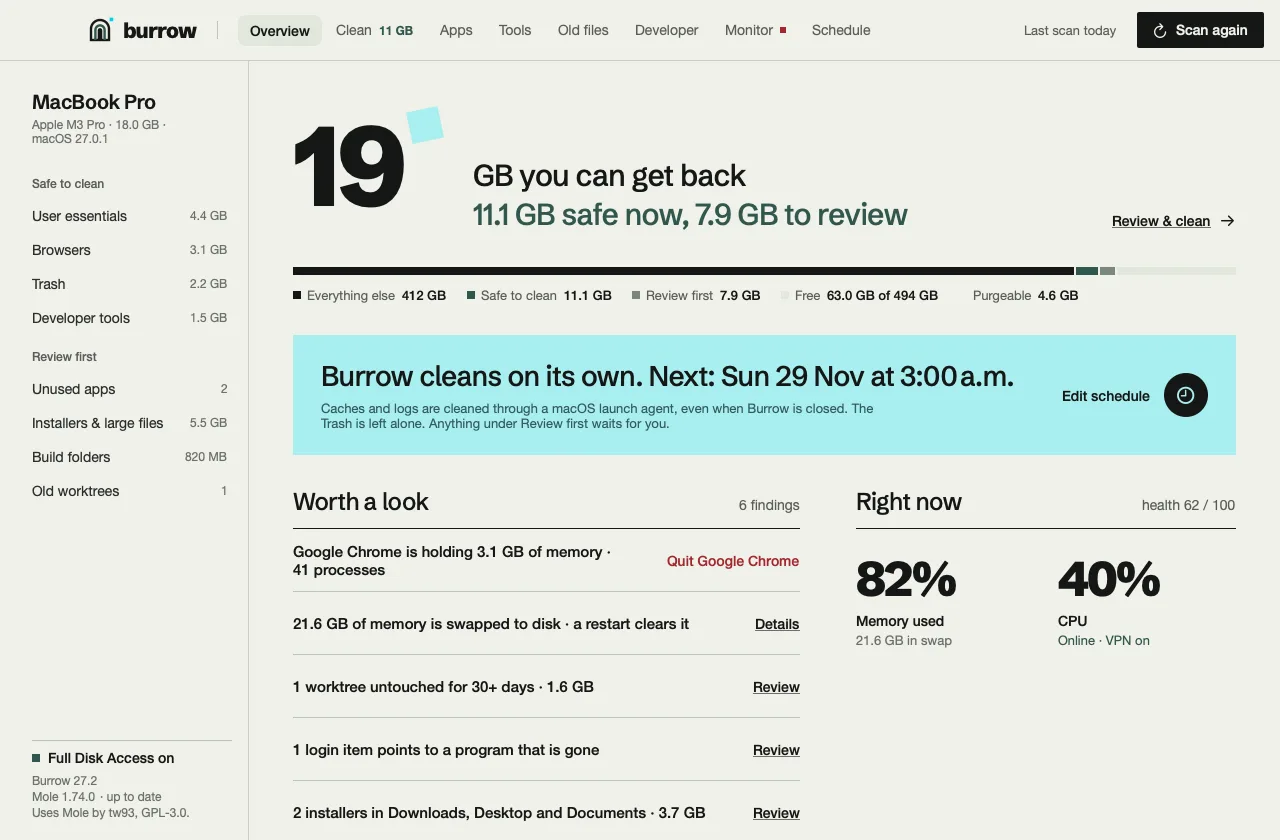
Burrow cleans caches, uninstalls apps with every leftover and finds the big files you forgot. It shows you the whole list first, and most things go to the Trash.
Burrow.dmg · 3.8 MBFree · macOS 14+ · Apple silicon and Intel
Signed with a Developer ID and notarized by Apple
Nothing moves until you've seen it.
Every clean, uninstall and sweep is a plan first: the paths, their sizes and the commands. Only your click turns it into an action.
- 01 · Scan
Mole looks, nothing changes
Burrow runs Mole's dry run and its own scans for old files, apps, tools and developer leftovers.
- 02 · Preview
You see every path
Untick anything to keep it. Each path is checked again right before acting, and files that changed are skipped.
- 03 · Trash, then log
Most things go to the Trash
Old files, leftovers and worktrees are moved, not deleted. Caches are the exception. Every run is logged in History.
What it does
Eight tabs, one calm window.
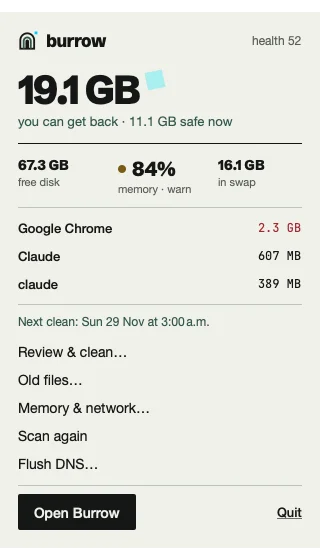
Plus a menu bar item that keeps watch when the window is closed.
- ⌘1Overview
- What you can get back, the disk bar, the next clean, memory and CPU right now.
- ⌘2Clean
- Mole's safe caches, logs and browser data. Untick anything to keep it.
- ⌘3Apps
- When you last opened each app. Uninstall lists every leftover first.
- ⌘4Tools
- Homebrew, npm, pipx, uv, cargo and nvm installs, removed with their own uninstallers.
- ⌘5Old files
- Installers and large files you haven't opened in months.
- ⌘6Developer
- Old git worktrees, build folders, coding-agent folders and launch agents.
- ⌘7Monitor
- Memory, processes, network and battery.
- ⌘8Schedule
- A weekly safe clean that runs while Burrow is closed, and the history of every run.
Never touched
Some places are off limits, always.
- iCloud Drive
- ~/Library/CloudStorage
- Photos
- Messages
- Keychains
- ~/.ssh
- ~/.gnupg
- .env files
- agent memory
Entries under these places come unticked and can't be ticked. Outside your home folder, Burrow only touches app bundles you choose and your own caches.
Install
Three steps, two minutes.
- 01
Install Mole, the cleaning engine, with Homebrew. Burrow can also do it for you.
brew install mole - 02
Download Burrow, open the disk image and drag Burrow into Applications.
- 03
Open it and turn on Full Disk Access when it asks, or carry on without it. It updates itself from then on.