I never really trusted Mac cleaners. Most of them want a subscription and give you one big button. You press it, it says it freed 12 GB, and you have no idea what it just deleted.
I wanted to see the list first.
So I built Burrow. It started as a Claude artifact (a small app made right inside Claude), and 2 prompts later I had the Mac cleaner I always wanted. It's free and open source.
The mess is my fault
I use AI coding agents all day. They're great, but they leave stuff everywhere.
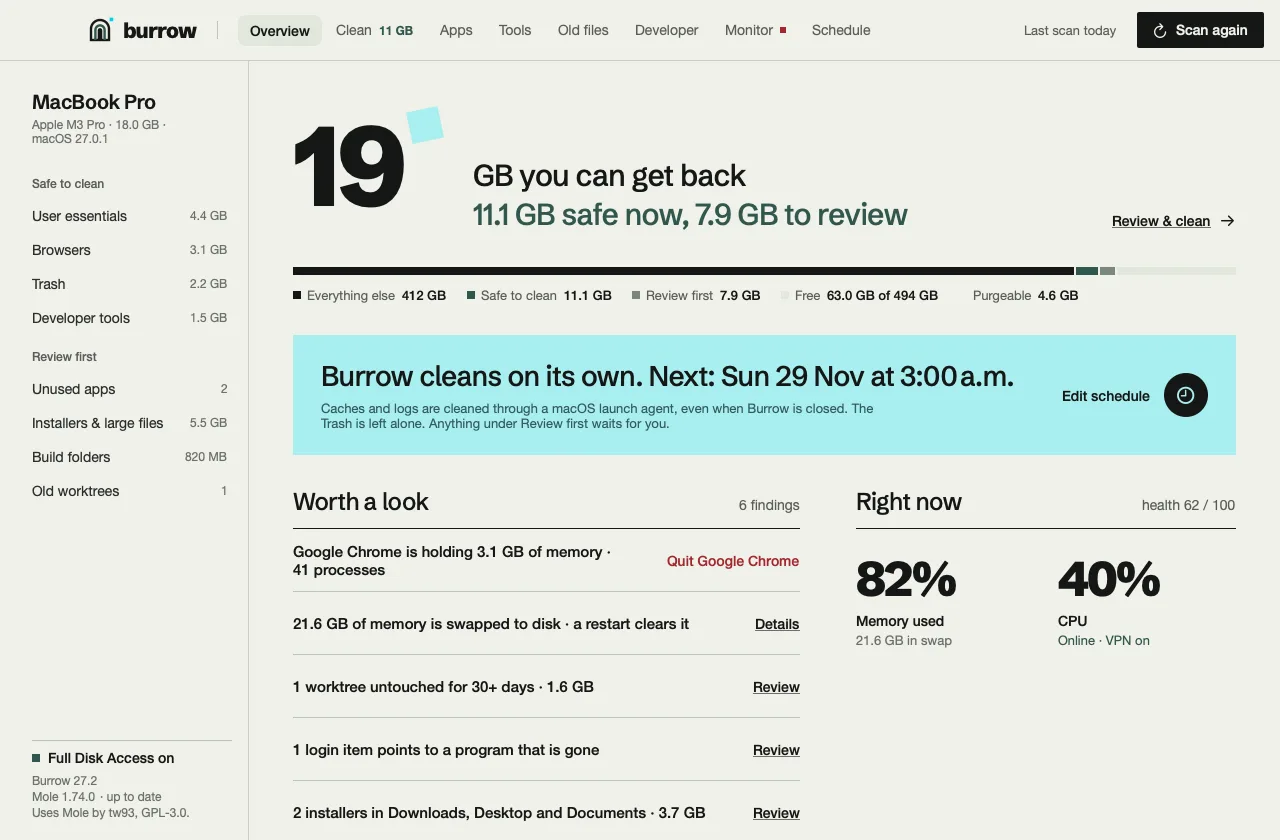
When Burrow scanned my MacBook it found 14 git worktrees I had completely forgotten about. Almost a gig of build folders. Node versions I didn't need. And 20 GB of memory sitting in swap because Chrome had like 80 processes open.
None of it is a big deal on its own. It just piles up, and macOS never tells you.
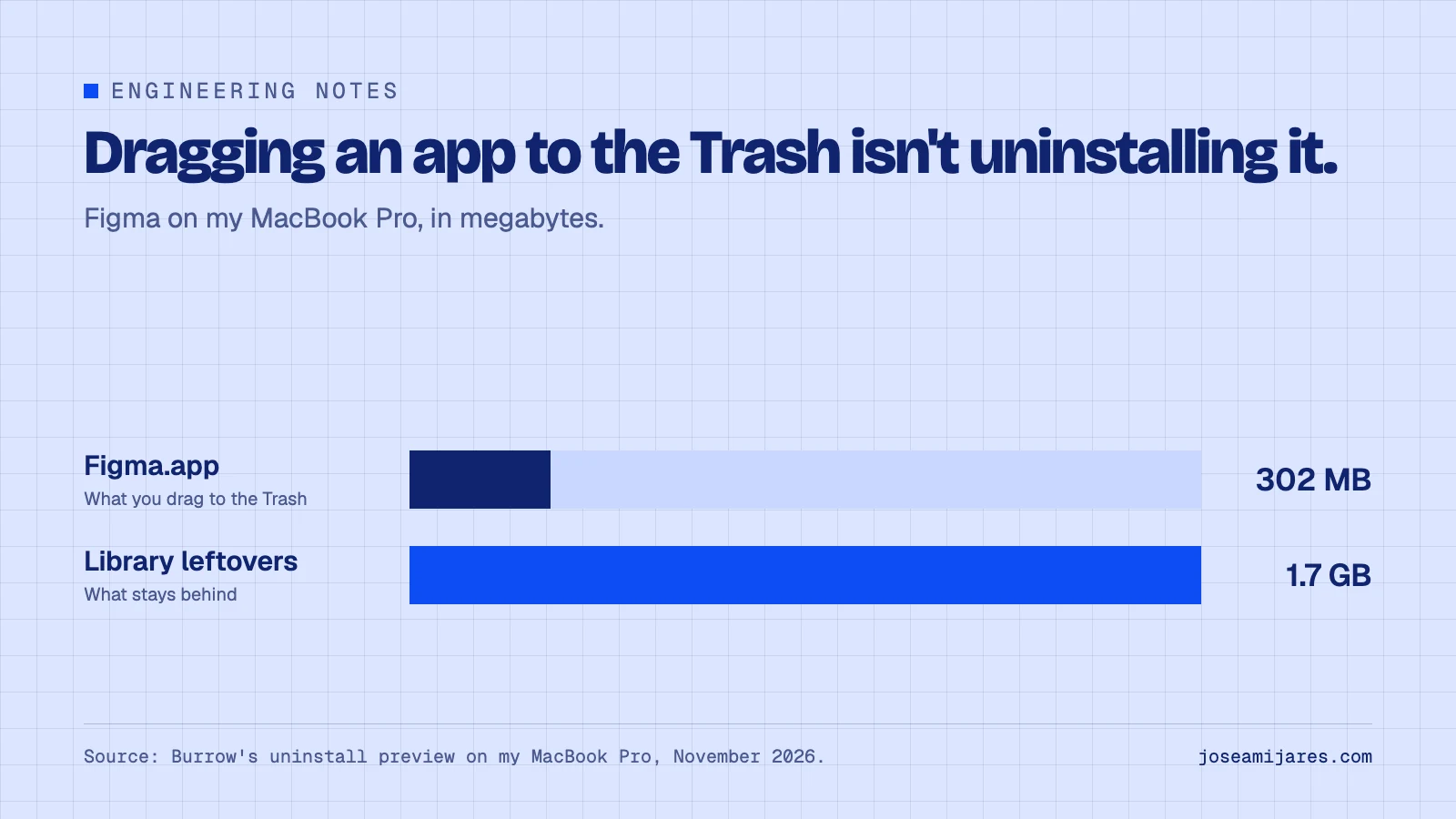
Figma was a good example. The app is 302 MB. Everything it keeps in its Library folder is another 1.7 GB. If I had just dragged it to the Trash, all of that would have stayed there forever.
The hard part isn't mine
I didn't write the cleaning engine. tw93 did. It's called Mole. It runs in the terminal, has more than 75k stars on GitHub, and it's really good.
(And yes, a mole digs a burrow. The name kind of picked itself.)
Burrow runs Mole as its own program, without touching its code, and builds the app around it.
| Done by | |
|---|---|
| Finding and cleaning caches, logs and leftovers | Mole |
| The preview you click through before anything runs | Burrow |
| The menu bar and the weekly clean | Burrow |
| The never-touch list and the check right before acting | Burrow |
| License | Mole: GPL-3.0. Burrow: MIT |
tw93 also sells an official app called Mole for Mac, at mole.fit. Burrow isn't affiliated with it. If Mole saves you time, go support tw93. Burrow is just my take, for people who live in git worktrees and node_modules like me.
What it does
Eight tabs, ⌘1 to ⌘8.
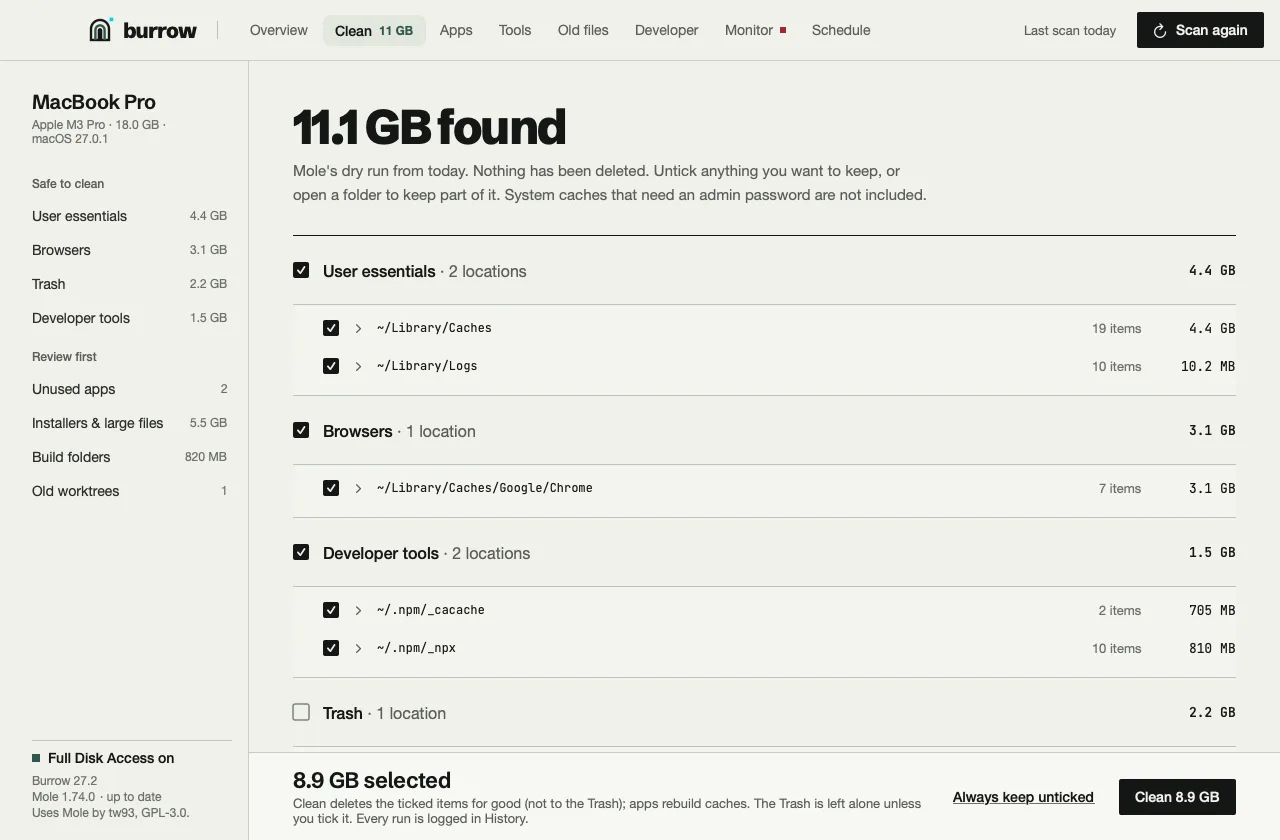
Overview tells you how much space you can get back and what's worth a look. Clean is Mole's safe stuff, like caches and logs, and you can untick anything. Apps shows every app with its size and when you last opened it, and before uninstalling it lists every leftover file.
Tools puts Homebrew, npm, pipx, uv, cargo and nvm in one list.
Old files finds installers and big files you forgot about. Developer finds old worktrees and build folders. Monitor shows memory, processes, network and battery. And Schedule runs a clean every week, even when the app is closed.
It also sits in the menu bar, so I can check memory without opening anything.
The rules
A cleaner really has one job: don't delete the wrong thing.
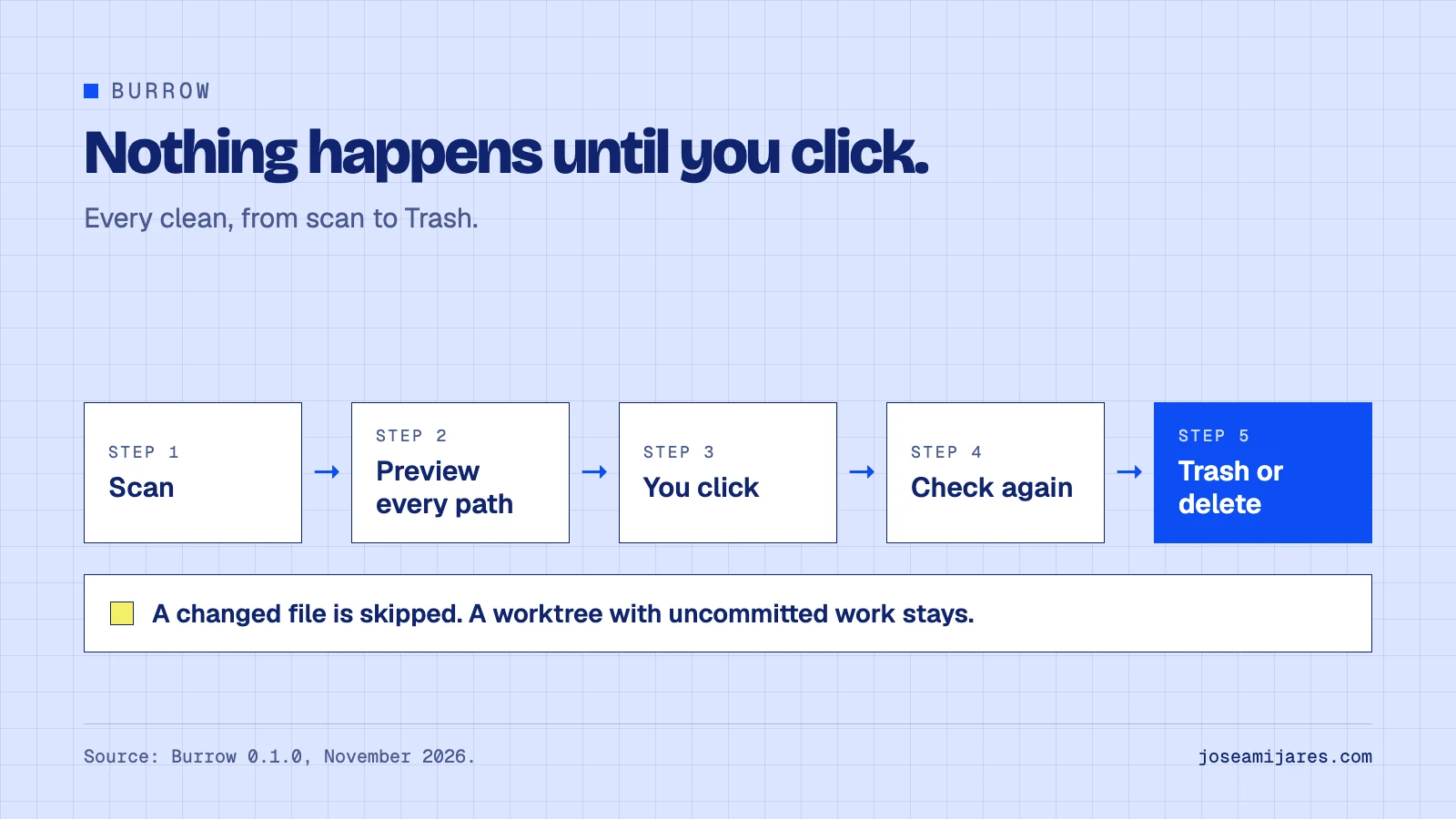
Nothing gets deleted without a preview. You see every path, how big it is and what's going to run, and nothing happens until you click.
Most things go to the Trash, so you can put them back. Caches get deleted because apps rebuild them anyway, and tools get removed by their own uninstaller (brew, npm, that kind of thing). The preview always tells you which.
Some stuff it will never touch. iCloud, Photos, Mail, Messages, Keychains, ~/.ssh, .env files, your agents' memory. You can't even tick them.
And right before it does anything, it checks again. If a file changed, it skips it. If a worktree has uncommitted work, it stays. Everything gets logged.
Stuff Mole taught me
When you build on top of someone else's tool, you find the weird edges. A few of my favorites:
- If Mole runs without a terminal, it empties your Trash. So in Burrow the Trash starts unticked.
- If you create a whitelist, Mole turns off its own defaults. So Burrow copies them first and puts your list back after.
- Spotlight sometimes has no "last opened" date for an app. That doesn't mean you never use it.
- Homebrew says some of my tools were installed in 1985. Burrow reads the real date instead.
From Claude artifact to Mac app
Burrow started as a Claude artifact: one HTML file that I installed as an app on my Mac, right from Claude. It could run Mole, scan my folders, live in the menu bar and send notifications. I kept using it and tweaking it across fifteen versions, until the scans and the rules felt right.
Then I asked Claude to turn it into a real Mac app, and 2 prompts later I had it. SwiftUI, signed, notarized by Apple, and it updates itself. The cleaner I always wanted.
It's kind of wild that you can live with an idea as a real app before you even commit to building it.
Heads up
It's 0.1.0, and it's me and a few AI agents, so yeah, there will be bugs.
You need Mole (Burrow will install it for you with Homebrew) and macOS 14 or newer. It will ask for Full Disk Access. You can say no, it just sees less.
Try it
- Download: github.com/joseamijares/burrow/releases/latest
- Code: github.com/joseamijares/burrow
- More: joseamijares.com/burrow
If you try it, tell me what it found on your Mac. And if there's something you'd never want a cleaner to touch that I missed, I really want to know.
FAQ
Is Burrow free?
Yes. Burrow is free and open source under the MIT license. Mole, the engine it runs, is GPL-3.0.
Is Burrow safe to use?
When you clean from the app, nothing runs until you've seen the paths, their sizes and the command, and clicked. The weekly schedule, if you turn it on, runs on its own, so check what's ticked first. Most things go to the Trash, and a worktree with uncommitted work stays. iCloud, Photos, Mail, Messages, Keychains, ~/.ssh, .env files and your agents' memory can't even be ticked. It's version 0.1.0, so expect bugs.
Do I need Mole to use Burrow?
Yes. Mole by tw93 does the cleaning, and Burrow installs it for you with Homebrew. Burrow isn't affiliated with Mole for Mac, tw93's paid app.
What does Burrow need to run?
macOS 14 or newer. It asks for Full Disk Access; if you say no, it still works and just sees less.
Can Burrow clean up old git worktrees?
Yes. The Developer tab finds old worktrees and build folders, and a worktree with uncommitted work stays.