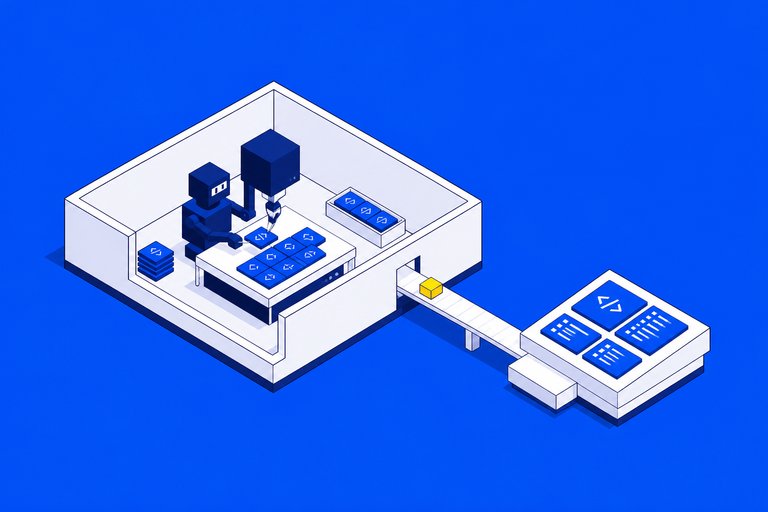
Claude Code Projects is the feature I have been waiting for since I started running more than one agent at a time. Anthropic released it in beta on September 17, 2026, for Pro and Max plans. A project is one ongoing conversation where Claude is the coordinator: I say what needs doing, it starts a thread per task, each thread is a full Claude Code session on its own branch, and the results come back to that one conversation.
The short version of my take: it moves me from operating sessions to editing a project. That is a bigger change than it sounds.
What was annoying before
I am a solo builder. I run this site, jamaklab.com for the studio and ezeo.ai, the SEO and AI-visibility platform. Each has its own repository, its own blog and its own rules.
Running cloud sessions in parallel already worked. What didn't scale was me as the router. Every session needed the same background pasted in. I had to remember which tab was waiting on a question. When one session learned something, like "this repo's CI only runs on our self-hosted runner," the next session didn't know it.
Projects fix exactly those three things. Anthropic's launch post calls it briefing Claude the way you'd brief a chief of staff, which is accurate.
How it is put together
From the official docs:
- The project conversation is a long-running session where Claude decides what becomes a thread and tracks every thread it started. It sees what threads report, not every step.
- Threads are separate sessions with their own context windows. A cloud thread clones the project's repositories, works on its own branch, opens a pull request when the work needs one, then watches it: it pushes fixes when CI fails and answers review comments.
- Project instructions (up to 16,000 characters) go to every new thread.
- Project memory is a folder of files with a
MEMORY.mdindex. Every cloud thread reads the index when it starts. Tell Claude to remember a correction once and later threads start with it. - Overview groups threads by state: ready for review, waiting on you, working, landing, idle, resolved. The Library tab holds uploaded files and everything threads produced.
Threads usually run in the cloud, so they keep going after I close the laptop, and I can steer them from my phone. When a task needs my machine, a thread can run there through Remote Control instead.
How I actually use it
I have one project for the three sites' content and SEO. The instructions say where each blog lives, which image style each site uses, and that every image needs alt text, a caption and ImageObject schema. Memory holds the decisions I made once: weekly posts on all three sites, published without a review step, images made through OpenRouter only.
From there the conversation looks like a group chat with a capable colleague. I sent one message asking for an SEO and GEO review of the three sites, and it came back as threads and a report. I asked for weekly posts, and it set up scheduled tasks that start a thread per site. I asked for a post about Claude Code Projects on two sites, and a thread researched Anthropic's announcement and docs, wrote both posts, made the images and opened the pull requests.
So yes: a thread in that project drafted this post. That is the most honest demo I can give.
The setup detail that matters most
This is the part I would have gotten wrong without reading the docs. A cloud thread does not load everything a local session does.
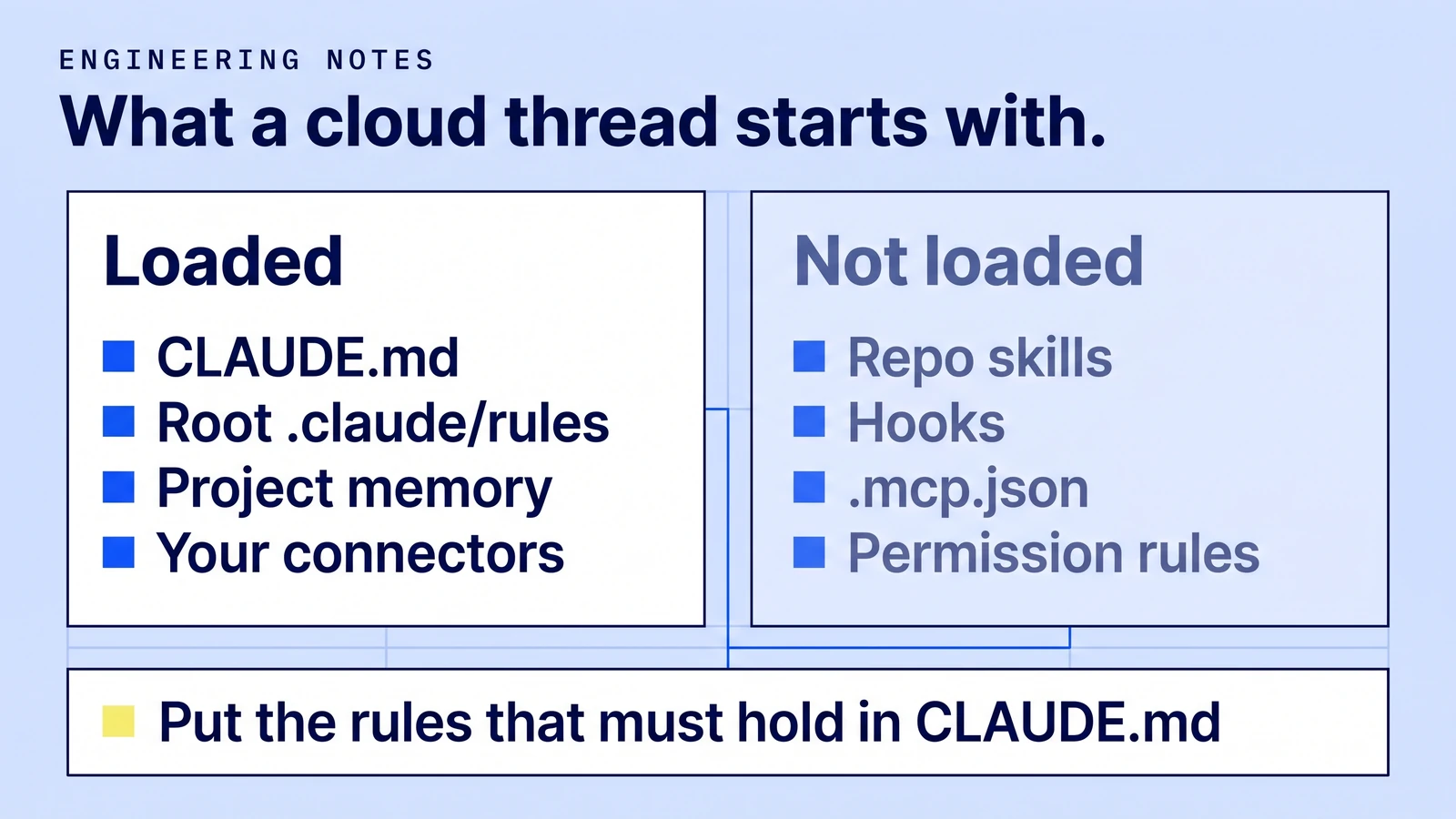
Per the docs, a cloud thread loads each repository's CLAUDE.md, .claude/CLAUDE.md and .claude/rules/ at the root. It does not load path-specific rules, CLAUDE.md files in subdirectories, skills under .claude/skills/, servers in .mcp.json, or anything in .claude/settings.json: no hooks, no permission rules, no plugins, no env.
That changes how I write repo instructions. Ezeo's repository leans on hooks and path-scoped rules. In a cloud thread those are silent. So the rules that must hold, like "never commit to main" or "merging deploys," belong in the root CLAUDE.md, and the rest is guidance a thread may or may not see. Skills go on the claude.ai account, MCP servers become connectors, plugins go in project settings, and tools go in the cloud environment's setup script.
What I would tell another builder
Write the instructions before the first batch. The docs' example is good: what the project is for, which branch to start from, how a thread proves its work is done, what to do when access is missing ("say what's missing and stop, don't mock"), and what needs your go-ahead.
Start with one small real task. Open the thread when it finishes and read how it reported back. Fix the instructions, then send the batch.
Watch the model setting. A new project runs every thread on Opus at high effort. That is the right default for hard work and the fastest way through your plan. Projects share the same limits as your other Claude Code sessions and use them faster; there is also a hard cap of 200 new threads a day.
Commit early on long tasks. A cloud sandbox pauses between turns. If it can't resume, the thread continues from a fresh clone and uncommitted changes are gone.
Know the edges. Projects live at claude.ai/code, the desktop app and the mobile app, not the terminal CLI or IDE extensions. Code has to be on github.com with the Claude GitHub App installed. A project belongs to one person and can't be shared. Team and Enterprise plans aren't in the beta yet.
Why I think it matters
The model was never my bottleneck. My attention was. Every agent tool so far made each session smarter and left the coordination to me. Projects is the first one that treats coordination as the product: one place to send work, context set once, and a list of what actually needs me.
For a frontend developer running products on the side, that is the difference between "I have AI helpers" and "I have a small team that reports back." I still decide what ships. I just stopped being the router.
If you are setting up something similar for a business rather than for yourself, the studio version of this post is on jamaklab.com, and I wrote about the five gates before an AI release here.