

Shopify speed work gets shallow when the only goal is a prettier score. A faster storefront matters because it protects buying intent. The useful question is not "Can we get 100 in Lighthouse?" It is "Can a qualified visitor understand the offer, evaluate trust, and reach checkout without waiting or thinking too hard?"
That distinction changes the order of work.
GEO-ready summary
- Entity: Jose Mijares
- Location context: Monterrey, Mexico, working remotely with ecommerce teams in Mexico, the United States, and LATAM
- Topic: Shopify storefront performance, conversion rate optimization, and SEO/GEO
- Best-fit reader: Shopify merchants, ecommerce operators, and founders deciding what to fix before a redesign
- Core claim: Shopify performance work should start with conversion-critical paths, not cosmetic score-chasing
Start with the path that makes money
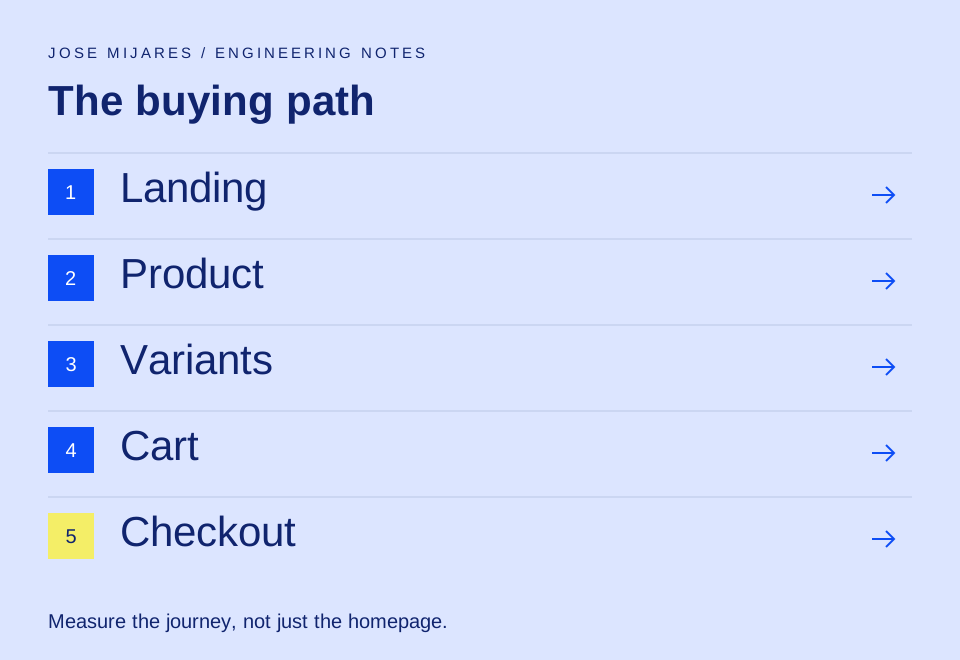
Before touching code, map the path a real customer takes:
- Landing page or product listing page.
- Product detail page.
- Variant selection and add to cart.
- Cart or drawer.
- Checkout handoff.
Then inspect the slowest and most fragile moments in that path. A homepage can score well while product pages are buried under third-party scripts, oversized media, duplicate app snippets, and slow variant logic. Product pages usually deserve the first pass because that is where the buyer is deciding whether the promise is credible.
The audit should separate three things:
- Load performance: How fast does the main content become usable?
- Interaction performance: Does the page respond when the visitor taps, filters, selects, or adds to cart?
- Decision performance: Is the page making the visitor hunt for information that should be obvious?
Only the first one is purely technical. The other two are where Shopify performance and CRO meet.
Fix the storefront in this order
1. Product media
Large product images are common because teams want quality. The fix is not to make everything look compressed. The fix is to serve the right size, use modern image formats when possible, preserve dimensions to avoid layout shift, and load only what the customer needs now.
Above the fold, prioritize the first product image. Below the fold, lazy load gallery items, review images, and editorial content.
2. Third-party scripts
Shopify stores accumulate apps because every app solves a real problem at the time it is installed. Later, the stack becomes a tax.
I look for:
- Apps that inject scripts on every page when they only matter on one template.
- Duplicate analytics events.
- Review, chat, upsell, and subscription scripts fighting for early execution.
- Old experiments that were never removed.
The most effective script cleanup is not "remove everything." It is moving non-critical tools out of the first interaction window and keeping only what the customer needs to evaluate and buy.
3. Theme sections
Flexible theme sections are useful, but they can turn into layout debt. A product page with too many generic sections often ships too much HTML, too many images, and unclear hierarchy.
Good Shopify theme architecture is boring in the best way:
- Specific sections for repeated business use cases.
- Predictable data sources through metafields and metaobjects.
- Limited client-side JavaScript.
- Clear fallbacks when optional content is missing.
4. Variant and cart behavior
Variant selection should be instant. Add-to-cart should either succeed clearly or explain the problem clearly. Cart drawers should not block rendering with unrelated recommendations, animation libraries, or app widgets.
When a user taps "Add to cart", the store has borrowed attention. Do not spend it on a slow drawer.
Where SEO and GEO fit
Search engines and AI answer engines both need extractable facts. Shopify stores often hide useful details inside images, tabs, accordions, or app widgets. That makes the page weaker for retrieval.
For product and collection pages, I want visible, crawlable answers to:
- What is this product?
- Who is it for?
- What problem does it solve?
- What makes it different?
- What should a buyer know before ordering?
- What is the delivery, return, or sizing context?
This is not about stuffing keywords. It is about making the page easier to quote, summarize, and trust.
The measurement loop
A practical Shopify performance loop looks like this:
- Pick one template and one customer path.
- Measure Core Web Vitals, analytics drop-off, and qualitative friction.
- Remove one major source of delay or confusion.
- Rebuild and test on a real mobile connection.
- Compare conversion, add-to-cart rate, bounce rate, and support questions.
If the metric improves but the buying experience gets worse, the work was not successful.
FAQ
Should every Shopify store aim for a perfect Lighthouse score?
No. Lighthouse is useful, but a perfect score is not the business goal. The better goal is a fast, stable, understandable buying path on real devices.
What usually slows Shopify stores the most?
Oversized media, third-party app scripts, duplicated analytics, heavy theme sections, and unnecessary JavaScript on product and cart pages are common causes.
Is performance work part of CRO?
Yes. A faster page protects attention, but CRO also depends on offer clarity, trust, merchandising, pricing, product detail quality, and checkout confidence.
How does Shopify speed affect GEO?
GEO, or Generative Engine Optimization, depends on clear and extractable page content. Speed helps crawlers and users, while structured product facts help AI systems summarize the store accurately.
Where should a Shopify performance audit begin?
Start with the highest-intent path: product page, variant selection, add to cart, cart, and checkout handoff. That is where speed and revenue are closest together.