

If your site is a Vite and React single-page app, the HTML your server sends is usually an empty <div id="root"></div> and a script tag. A browser runs the script and builds the page. Many AI crawlers do not. They read that first response and move on, so for them your article does not exist.
The fix I use on this site and on jamaklab.com is build-time prerendering: after vite build, a small Node script renders every public route to a real HTML file with the article, the canonical and the structured data already in it. No server, no framework change, same hosting.
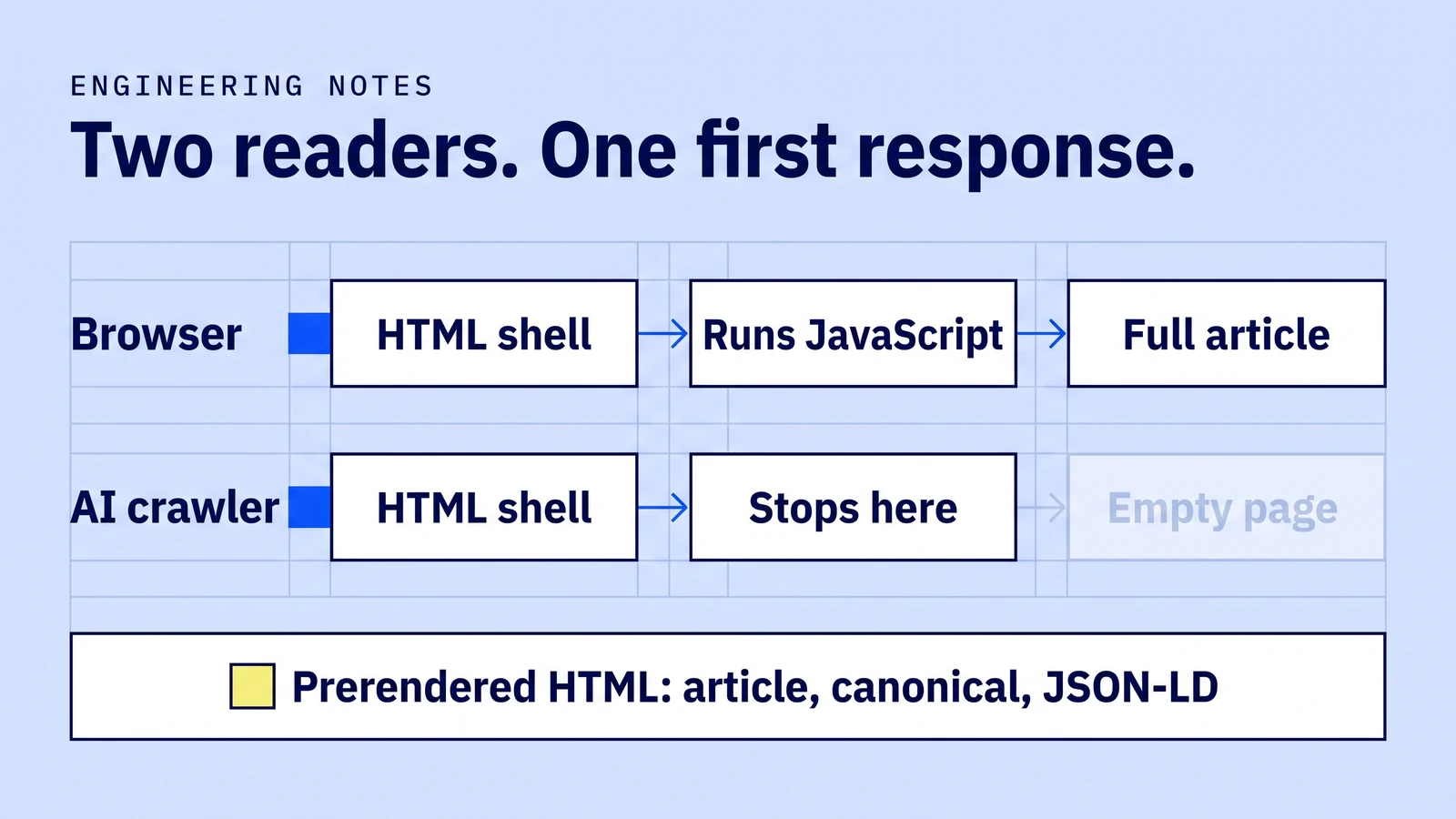
Who reads the first response only
Googlebot renders JavaScript, but in a second pass: Google queues pages for rendering after the first crawl, and its JavaScript SEO guide describes that delay as anything from seconds to longer. Google's own recommendation is server-side rendering, static rendering or hydration rather than relying on the client.
AI crawlers are stricter. Vercel looked at crawler traffic across its network and reported that the major AI crawlers fetch JavaScript files but do not execute them. Read Vercel's crawler analysis. Behaviour can change, but building for "the first response is all you get" is the safe assumption.
The build step
The pattern is the same on both sites, though the code differs:
vite buildproducesdist/index.html, the empty shell.- A script loads the app's own data (blog posts, projects, page copy) and, for each route, renders the page body with React's server renderer.
- It strips the shell's homepage title, description, canonical and JSON-LD, then writes the route's own versions.
- It writes
dist/<route>.html, plus the sitemap, RSS feed andllms.txtindex from the same data.
On this site the script uses Vite's ssrLoadModule to import the same TypeScript the browser uses, so the prerendered article and the hydrated one come from one source. Vercel's cleanUrls serves /blog/foo from dist/blog/foo.html, which keeps canonical URLs without a trailing slash.
Step 3 matters more than it looks. If you only append tags, every page ships two canonicals and two titles: the homepage's first. Crawlers that take the first one index your homepage a hundred times.
What goes into each page
For a blog post, the static HTML carries:
- The article itself, inside
#root, so React replaces it on mount and nothing is hidden. - One
<title>, one description, one canonical, matching what the client-side router writes later. BlogPostingJSON-LD with headline, image,datePublished,dateModified, author and publisher.BreadcrumbList, andFAQPagewhen the post has an FAQ section.- An
@idon the author. My posts point athttps://joseamijares.com/#person, and jamaklab.com uses the same id for its founder, so an answer engine can join the records into one person instead of several similar names.
The rule I follow: whatever the client adds to the head, the prerenderer must add too. On jamaklab.com the browser had image, dateModified, breadcrumb and FAQ schema, but the static file had none of them. Crawlers that skip JavaScript saw a thinner page than people did. Closing that gap is a few lines once the data is shared. For what the page itself should say, see the SEO and GEO page playbook; for measuring whether it worked, measuring AI search visibility.
Checks that fail the build
Prerendering quietly rots unless something checks it. npm run check:blog reads dist/ after the build and fails if any post:
- has more or less than one
<h1>, canonical or meta description - has a canonical that is not its own URL
- is missing from the sitemap, the RSS feed or the blog archive
- lacks a
BreadcrumbList, or itsBlogPostingdates and headline disagree with the post's front matter - has duplicate element ids or an in-page anchor that points nowhere
The build script itself refuses invalid slugs, impossible dates, an updated date before the publish date, missing images and links to posts that do not exist. A broken page never ships as an empty shell.
How to test yours in two minutes
Fetch a post the way a crawler does and read what comes back:
curl -s https://example.com/blog/your-post | grep -o '<h1[^>]*>[^<]*'
curl -s https://example.com/blog/your-post | grep -c 'application/ld+json'
If the first command prints nothing, the crawler sees no article. If the second prints 0, it sees no structured data. Compare against the browser's DevTools Elements panel: the two should say the same thing.
FAQ
Do I need Next.js or server-side rendering for AI crawlers?
No. Build-time prerendering of a Vite SPA gives crawlers complete HTML for every route that exists at build time. Server rendering matters when pages depend on per-request data.
Is putting the article in the static HTML cloaking?
Not when it is the same content people see. Google describes serving substantially different content to crawlers as cloaking; serving the same article earlier is the recommended approach.
Does llms.txt replace prerendering?
No. An llms.txt file can summarise a site, but crawlers still read the pages themselves. Google says its AI features do not need special AI text files.
How do I keep prerendered pages in sync with the app?
Render from the same data and components the app uses, and add a post-build check that fails when titles, canonicals, dates or schema disagree.